728x90
0. extension 설치로 해결하기
위 방법으로 안 된다면 아래의 과정을 수행하시면 됩니다.
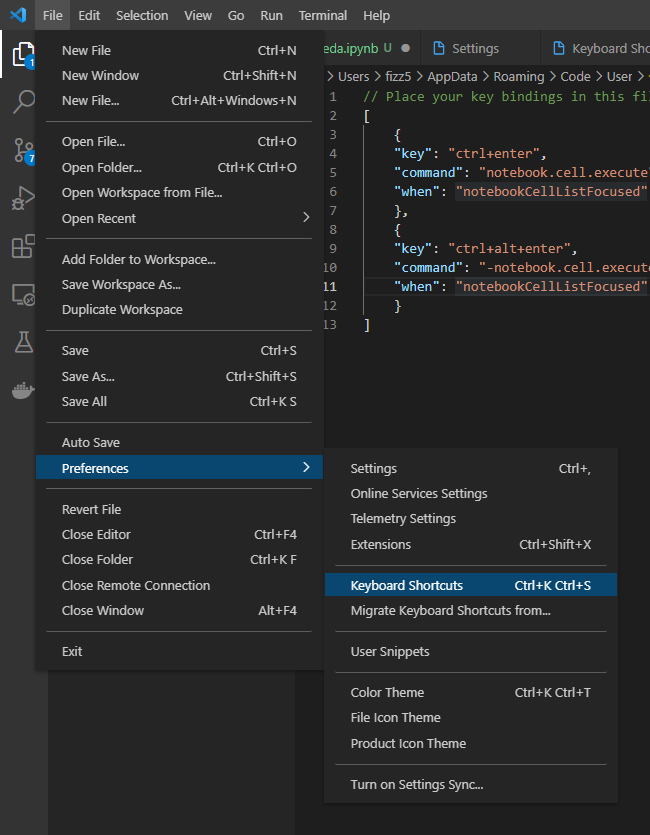
1. 좌측 상단 File -> Preferences -> Keyboard Shortcuts로 이동
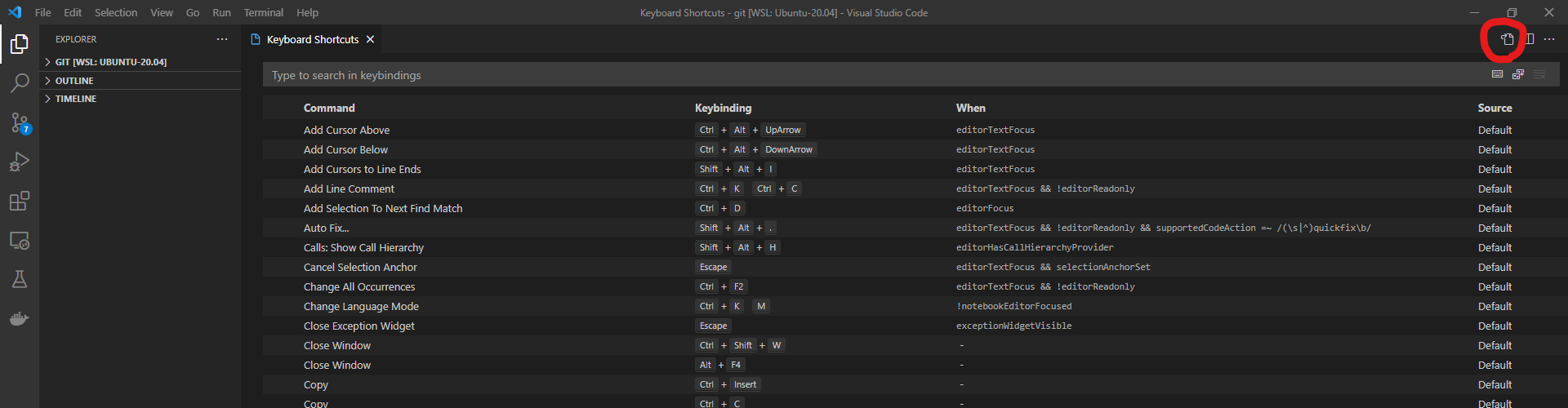
2. 우측 상단의 Open Keyboard Shortcuts(JSON) 클릭
3. 아래 내용 복붙
원래 내용이 있다면, 이어서 붙여주세요.
// Place your key bindings in this file to override the defaults
[
    {
    "key": "ctrl+enter",
    "command": "notebook.cell.execute",
    "when": "notebookCellListFocused"
    },
    {
    "key": "ctrl+alt+enter",
    "command": "-notebook.cell.execute",
    "when": "notebookCellListFocused"
    }
]
4. 테스트
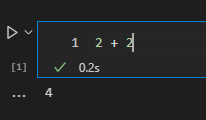
저는 shift+enter는 잘 되었었는데, ctrl+enter가 잘 안 되었습니다. 이제는 잘 되네요 ㅎㅎ
728x90
'📂 Engineering > 🔹 Data & AI' 카테고리의 다른 글
| [ml-agents] 윈도우에 ml-agents 환경 구축 (0) | 2022.02.14 |
|---|---|
| [vscode] jupyter notebook의 a, b, x, shift+enter, ctrl+enter가 작동하지 않을 때 (단축키, 명령어) (0) | 2021.12.23 |
| optimizer 비교 (0) | 2021.10.28 |
| [강화학습] MDP를 알 때의 플래닝 (0) | 2021.10.03 |
| 아나콘다 가상환경 명령어 모음 (0) | 2021.07.19 |

댓글